
CSS animation
This page includes 2 different animations using pure CSS (i.e. no javascript) with some comments on how they’re set up. Hopefully it helps explain how CSS animations work (they’re used all over this website).
Animation 1 - fading images
An animation using 5 objects (images) with only a single style change (opacity) to fade each object in and out.
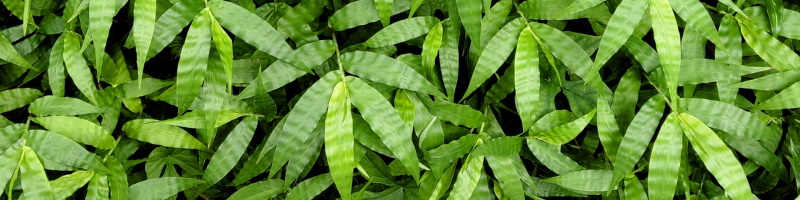

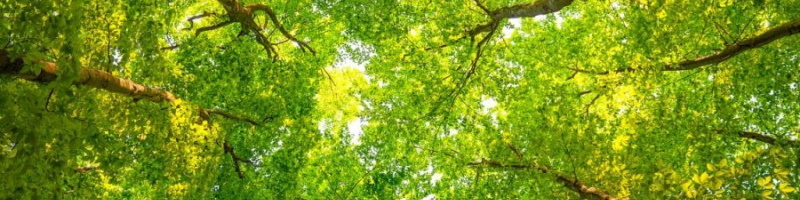
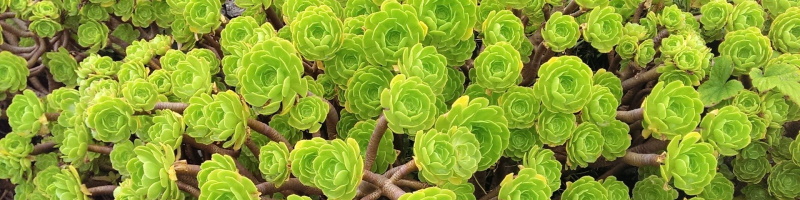

<div class="ia">
- container for the animation
<img src="ani-1.jpg">
<img src="ani-2.jpg">
<img src="ani-3.jpg">
<img src="ani-4.jpg">
<img src="ani-5.jpg">
- all the images to be animated
</div>
.ia {position:relative}
- parent container has a “relative” position as a reference for the absolute positioned children (img’s below)
.ia img {position:absolute ; animation:fade 20s linear 0s infinite}
- “absolute” position stacks img’s on top of each other (except for last img - see below)
- create animation “fade” 20 seconds long linear transitions no start delay repeat forever - applied to every img in the containing div
.ia img:last-child {position:relative}
- the last img is “relative” so it can set the size of the containing div (all img’s are the same size)
@keyframes fade {
0% {opacity:1}
10% {opacity:1}
20% {opacity:0}
90% {opacity:0}
100% {opacity:1}
}
0% {opacity:1}
10% {opacity:1}
20% {opacity:0}
90% {opacity:0}
100% {opacity:1}
}
- sets of curly brackets define the object style(s) at different stages (in %) of the named animation
.ia img:nth-child(4) {animation-delay: 4s}
.ia img:nth-child(3) {animation-delay: 8s}
.ia img:nth-child(2) {animation-delay:12s}
.ia img:nth-child(1) {animation-delay:16s}
- each image starts animating 4 seconds (1/5 of the animation duration) after the previous one (in reverse order) - the 1st image to animate (img 5) has no delay
Each image’s animation is staggered at 4 second intervals - there are 5 images so each is delayed by 1/5 (or 20%) of the animation duration:

0%
10%
20%
30%
40%
50%
60%
70%
80%
90%
100%
10%
0
2s
4s
6s
8s
10s
12s
14s
16s
18s
20s
22s
0%
100%
- img 5:
 img 4:
  img 3:
  img 2:
  img 1:
- images are animated in reverse order because the last image (img 5) is on top and so is animated straight away (it has no delay)
- with all the images at opacity 1 (i.e. opaque) the animation starts with only img 5 visible as they’re all stacked on top of each other
- at 2 seconds (10% of animation duration) img 5 starts to fade out (to opacity 0) revealing img 4 underneath (which hasn't started animating yet)
- at 4 seconds (20% of animation duration) img 5 has faded out (to opacity 0) and img 4 is now visible
- at 18 seconds (90% of animation duration) img 1 starts to fade out as the transparent (opacity 0) img 1 starts to fade in
- at 20 seconds (100% of animation duration) img 5 is opaque and begins the 2nd animation loop from this point on, only the visible image is at opacity 1 - all the others are transparent (opacity 0)
- at 22 seconds (10% into the 1st repeat) img 5 starts to fade out as the transparent img 4 starts to fade in
Animation 2 - a moving object
Using just 1 object (a div), 2 animations are used to change 5 styles (location, rotation, width, background image & background colour) to move and change an image.
<div class="ib">
- container for the animation
<div><div></div></div>
- an “outer” and an “inner” div (a div within a div)
</div>
.ib {width:100% ; height:150px ; background-color:#FFFFFF}
- parent container - background for the animation
.ib div {position:relative ; width:40px ; height:40px ; animation:move 10s ease-in-out 0s infinite}
- format “outer” div “relative” position allows the 40px square div to be moved about within the container
- create animation “move” 10 seconds long transitions with slow start and end no start delay repeat forever - applied to the outer, 40px square div
@keyframes move {
0% {left:
4px ; top: 4px}
16.67% {left:calc( 50% - 22px) ; top: 36px ; transform:rotate( -90deg)}
33.33% {left:calc(100% - 44px) ; top: 4px ; transform:rotate(-180deg)}
50% {left:calc(100% - 44px) ; top:106px ; transform:rotate(-270deg)}
66.67% {left:calc( 50% - 22px) ; top: 74px ; transform:rotate(-360deg)}
83.33% {left:
4px ; top:106px ; transform:rotate(-450deg)}
100% {left:
4px ; top: 4px ; transform:rotate(-540deg)}
}
- outer div animation is split into 6 even durations (100% / 6 = 16.67%) and each stage moves the div to the next of 6 points around the container while also rotating it 90° anticlockwise
- “calc” is because the container has a percentage width but the div is measured in px
.ib div div {margin:auto ; width:100% ; height:100% ; background-image:url(imgs/dice-1.png) ; background-size:100% 100% ; animation:fold 10s ease-in-out 0s infinite}
- “inner” div is kept central to the outer div by the “auto” margin given an initial size of the outer div with a background sized to fill it
- create animation “fold” with same parameters as the outer div animation - applied to the inner div
@keyframes fold {
0% {width:100% ; background-color:#FF4040}
8.32% {
background-image:url(imgs/dice-1.png)}
8.33% {width: 0% ; background-image:url(imgs/dice-2.png)}
16.67% {width:100% ; background-color:#FFA040}
24.99% {
background-image:url(imgs/dice-2.png)}
25% {width: 0% ; background-image:url(imgs/dice-3.png)}
33.33% {width:100% ; background-color:#FFFF00}
41.66% {
background-image:url(imgs/dice-3.png)}
41.67% {width: 0% ; background-image:url(imgs/dice-4.png)}
50% {width:100% ; background-color:#00FF00}
58.32% {
background-image:url(imgs/dice-4.png)}
58.33% {width: 0% ; background-image:url(imgs/dice-3.png)}
66.67% {width:100% ; background-color:#A0A0FF}
74.99% {
background-image:url(imgs/dice-3.png)}
75% {width: 0% ; background-image:url(imgs/dice-2.png)}
83.33% {width:100% ; background-color:#D040FF}
91.66% {
background-image:url(imgs/dice-2.png)}
91.67% {width: 0% ; background-image:url(imgs/dice-1.png)}
100% {width:100% ; background-color:#FF4040}
}
- inner div animation is split into 12 even durations (100% / 12 = 8.33%) and each stage changes the width from 100% to 0% or vice versa
- background colour changes 6 times (every 16.67%)
- background image also changes 6 times but when the image width is at 0% (so the change is not visible) - it’s immediate because it happens in the split second before it gets to 0% width e.g. between 8.32% and 8.33%
Mynott.uk
web: www.Mynott.uk
| site map / contents | website privacy |
| glossary | contact me |
©2000-2026 Mynott.uk


